About Employee Satisfaction Surveys
Employee satisfaction surveys are a fantastic way of getting feedback from everyone in your organisation. We've helped a number of management teams understand how their people are actually feeling and what they are thinking.
The beauty about a FeedbackRiver employee satisfaction survey is that the feedback really is anonymous. We find this helps those giving feedback open up and be truly honest, safe in the knowledge the feedback cannot be traced back to them!
You can access our question library of common employee satisfaction surveys, add your own questions, or a mixture of both.
We've made them incredibly easy surveys to run, just follow these simple steps to get up and running.
-
1. Create The Survey
-
2. Select Questions
-
3. Decide How To Deliver The Survey
-
4. Review & Start The Survey
-
5. Collate The Responses
1. Create The Survey
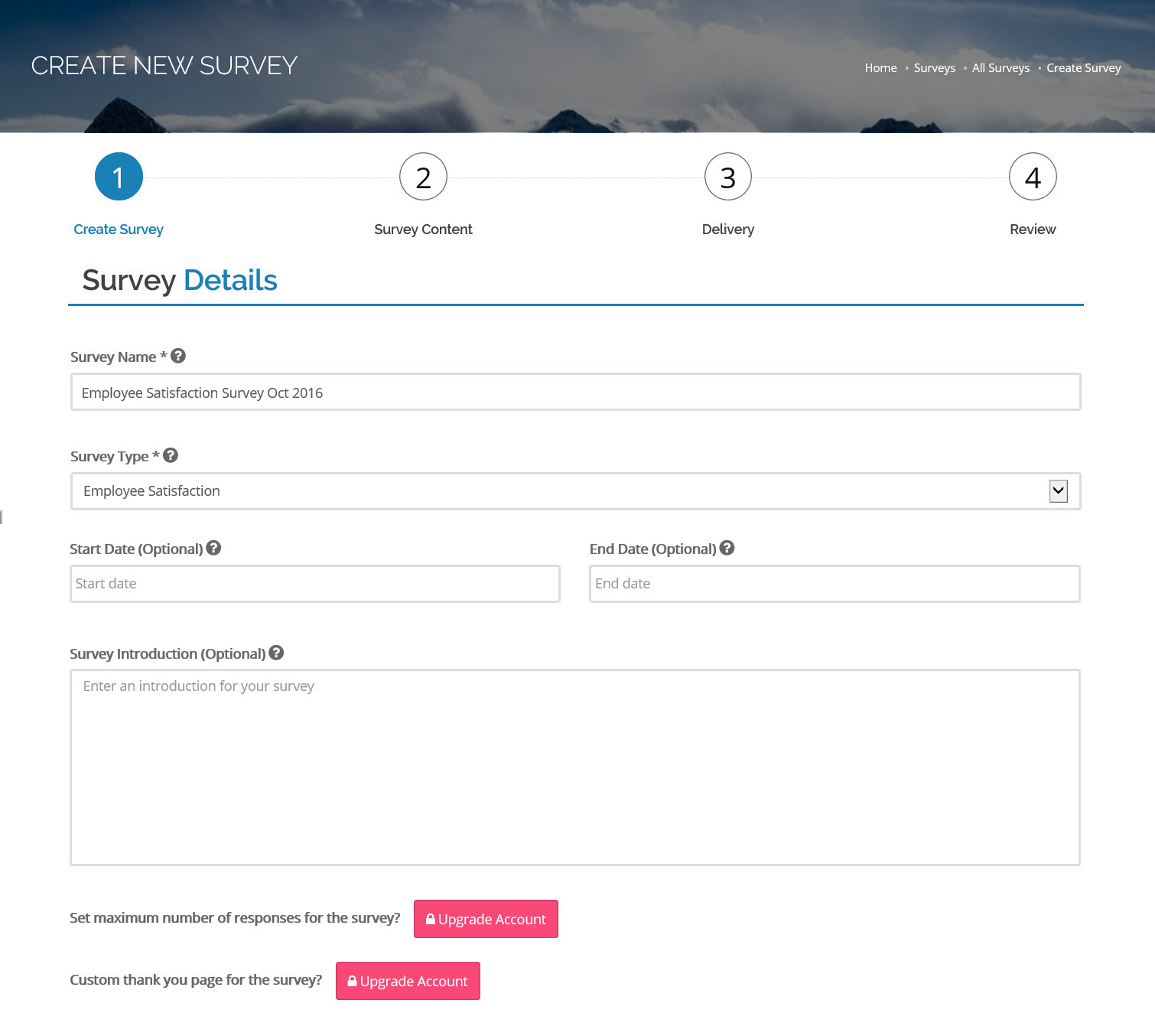
- All our surveys have optional start and end dates. If you enter a start date, then no feedback can be provided until that date. Similarly, if you enter an end date then no feedback can be provided after that date.
- You can provide some instructions or an introduction which will be displayed to all people providing feedback.
2. Select Questions
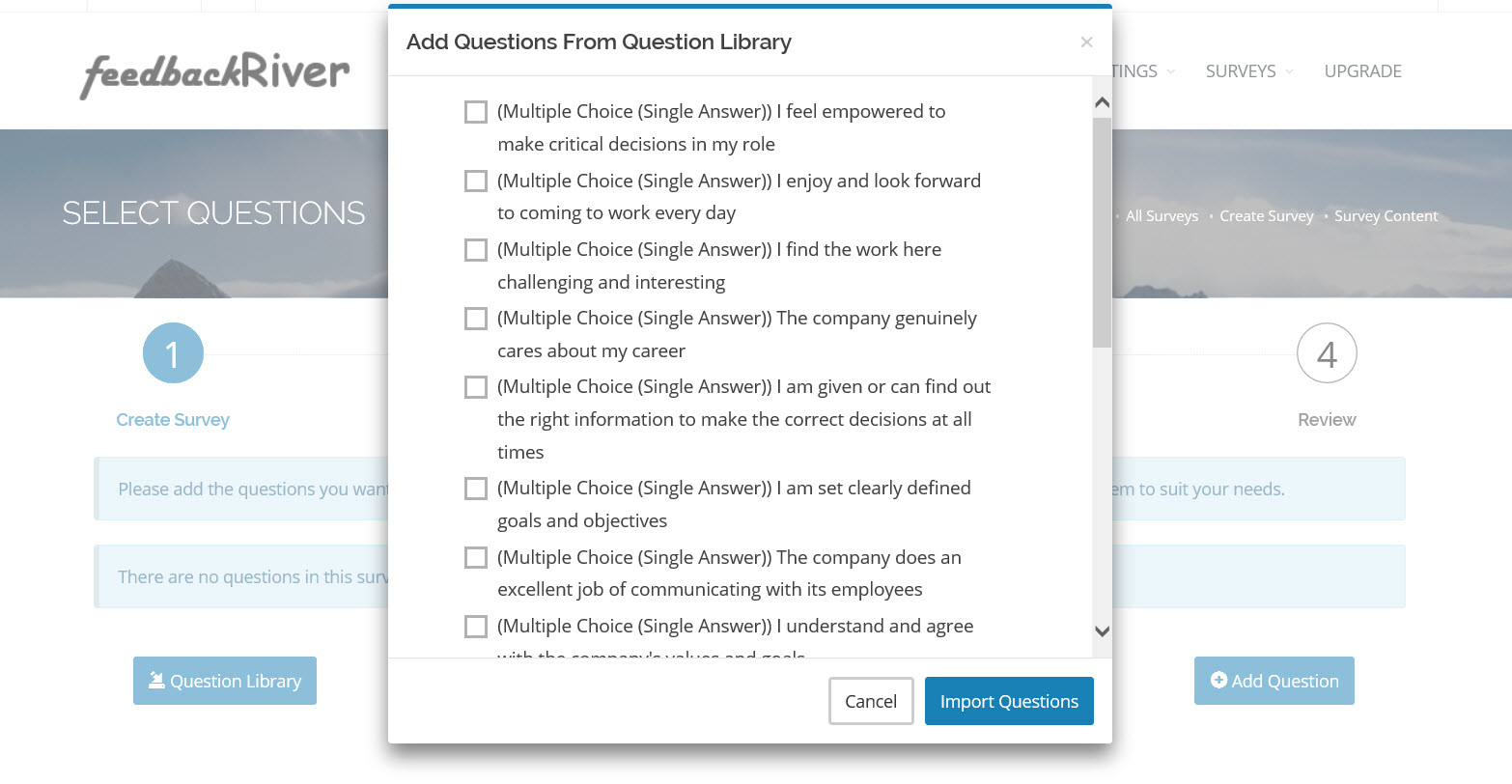
- Select the questions you would like to ask your employees. You can select from our question library or create your own questions.
- You can edit the list of questions at any time from the list on the page.
- The Preview Questions feature on this page is a powerful tool when building the survey. It lets you see what the questions will look like in the survey, including using any fonts or images that you have setup for your organisation.
3. Decide How to Deliver The Survey
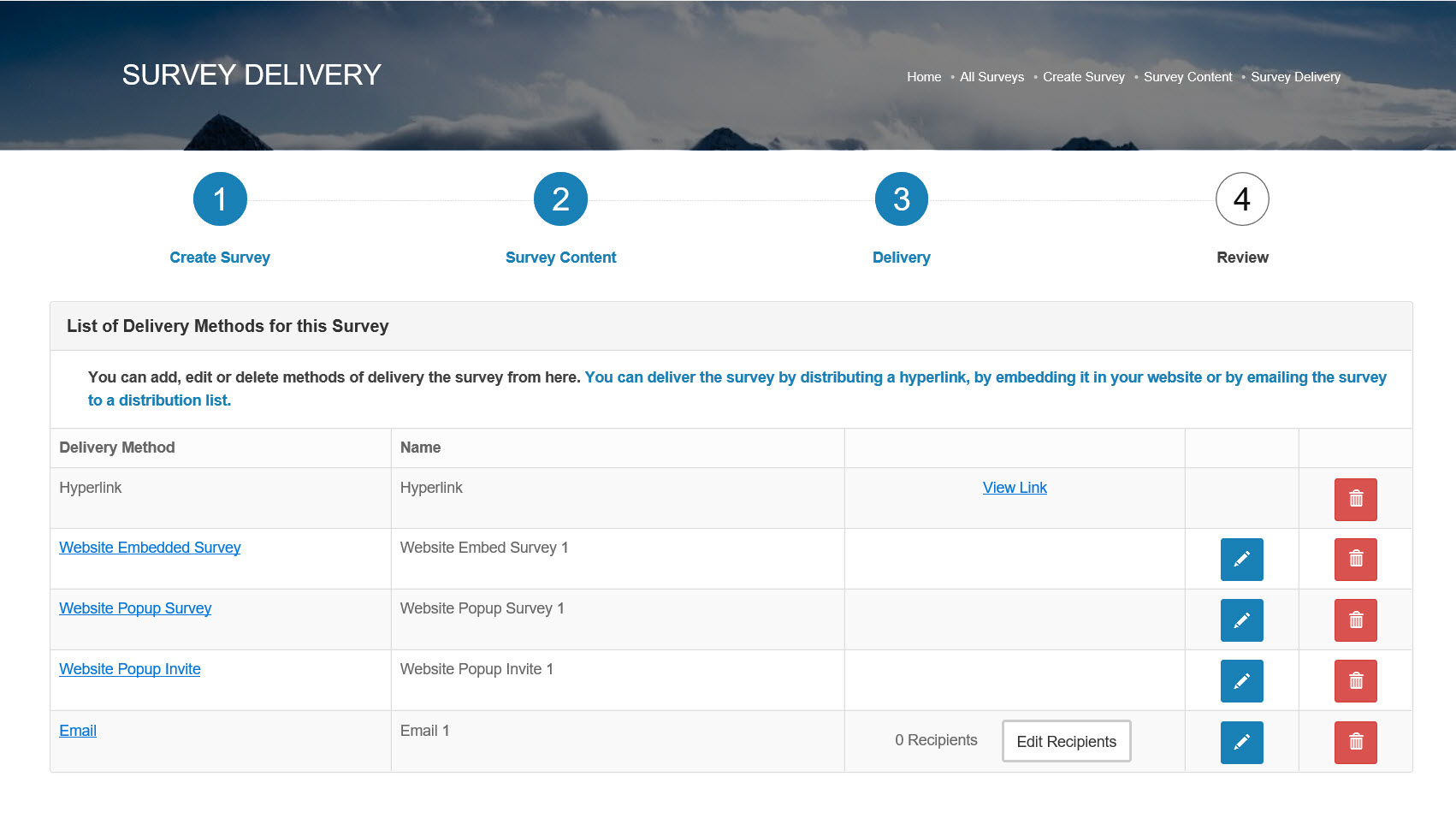
- There are currently five ways to deliver a survey.
- Hyperlink - that you then share
- Email - you can configure everything about the email
- Popup Invite - you then include the invite on your website. Users are then directed to the survey.
- Popup Survey - the survey appears on your website as a popup. Users can then take the survey whilst on your website.
- Embedded Survey - you embed the survey into your website. Users can then take part in the survey whilst on your website.
- You can have any combination of these delivery types. You can even build different version of the same method, e.g. different emails going to different groups of people.
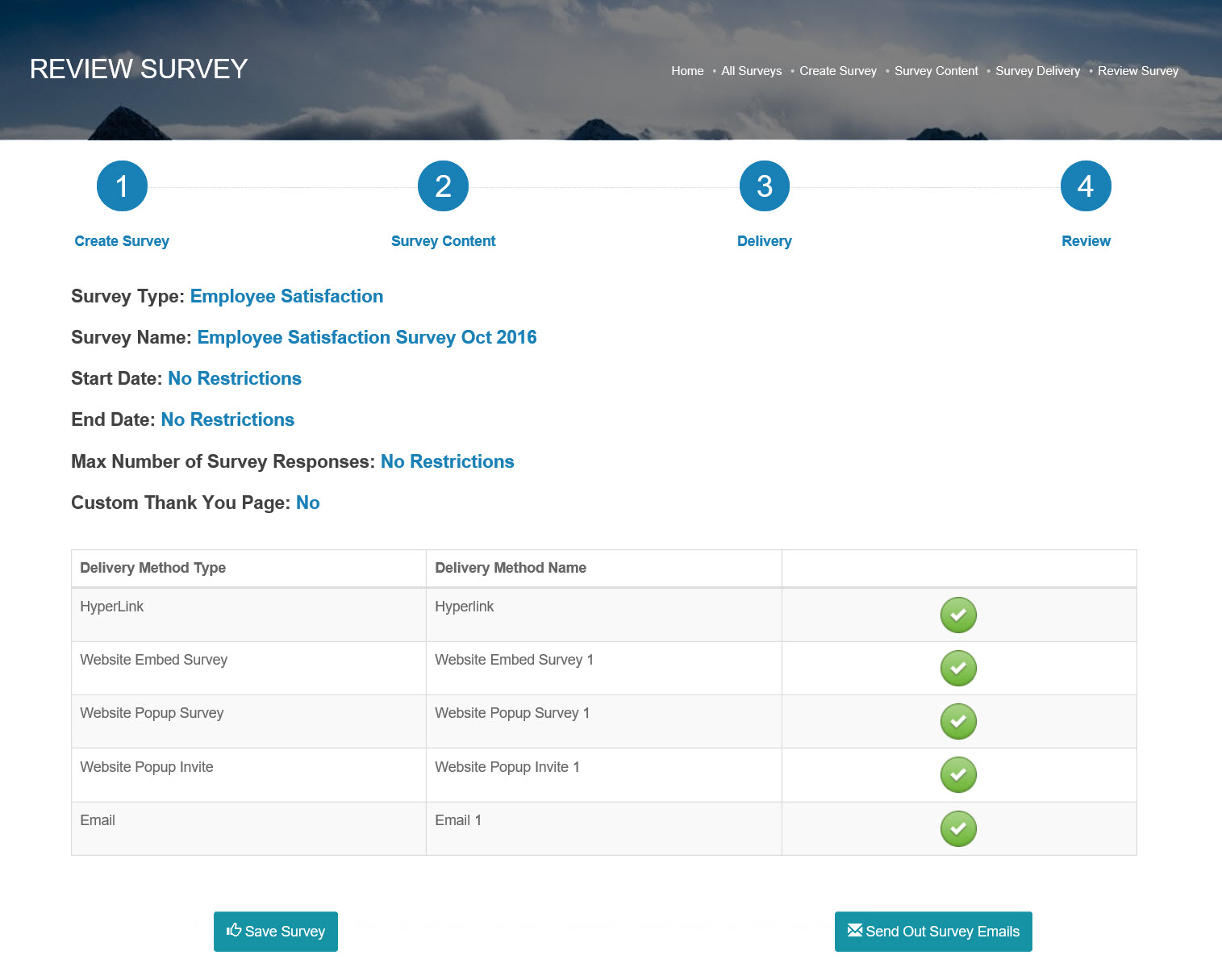
4. Review & Start The Survey
- The final stage of creating a survey involves quickly reviewing how you have set it up, just to make sure everything is in order.
- The system will tell you if there are any errors in the setup and prompt you to correct them.
- If you are happy with the survey but don't want to start it just yet then simply save your changes. You can then come back to this screen when you are later.
5. Collate The Responses
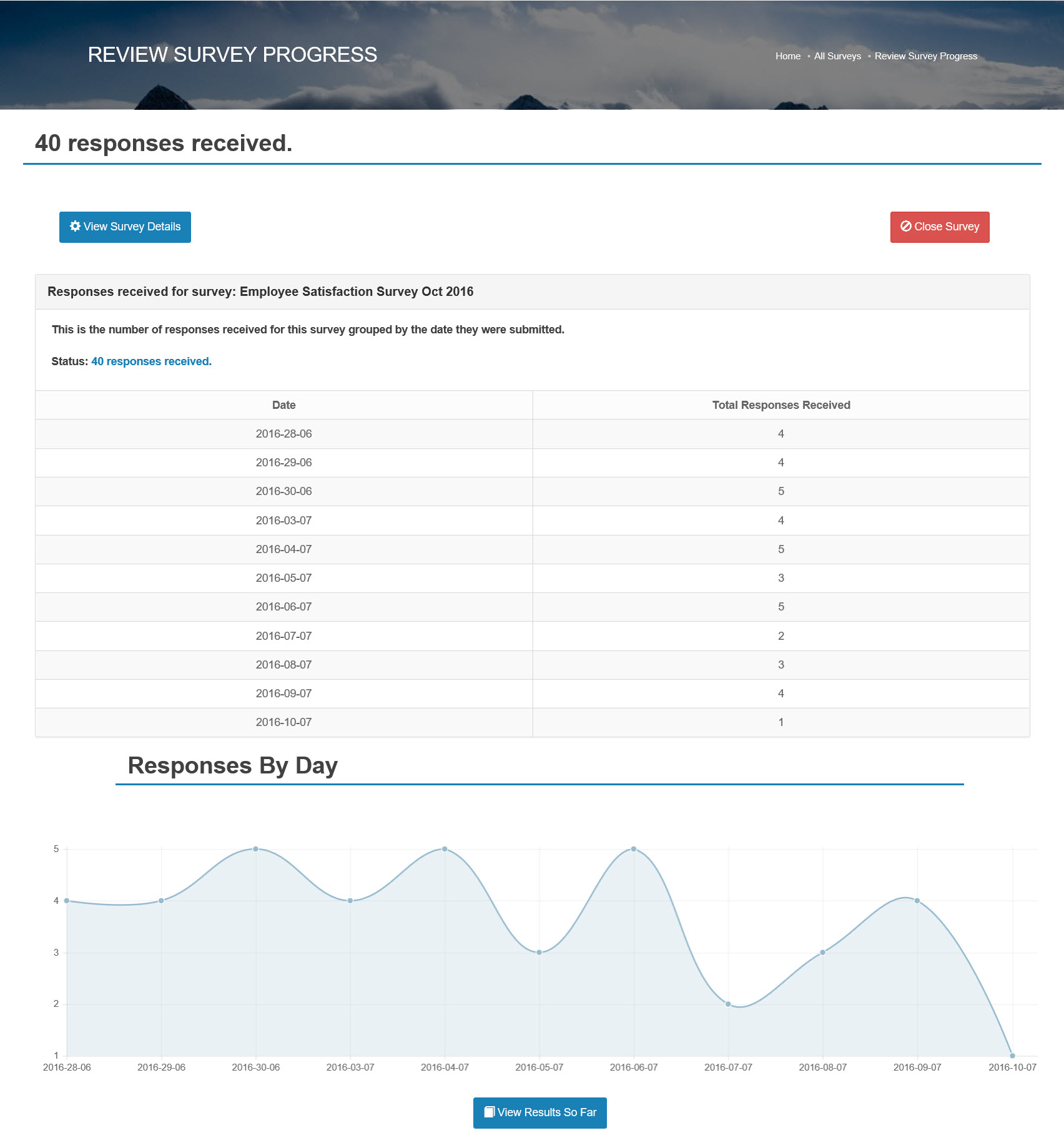
- You can see a running total of how many responses you are receiving.
- If you have enough responses then you will see a chart showing the trend of when responses have been submitted.
- At any given time you can check the results so far.